PROMPT GUIDES · 2026-09-25
Does selecting JSON guarantee valid JSON output?
No. Selecting JSON adds a formatting instruction to the prompt; it does not validate a later model response. Treat the response as untrusted text until a JSON parser accepts it, then check that the required keys and value types are present.
Return only one JSON object, with no Markdown fence or commentary. Use exactly these keys: title, audience, supplies, registration_deadline. Use null for a missing fact instead of inventing it. Before responding, check that the JSON is syntactically valid and that every required key is present. The receiving application will still parse and validate the result.
Try it in the prompt generator →
What the JSON option changed in our browser test
On September 25, 2026, we entered one exact brief in PromptSprite: create a JSON record for a weekend pottery workshop with the keys title, audience, supplies, and registration_deadline, using null when a fact is missing. We selected JSON as the result format and generated the prompt in Google Chrome.
The generated prompt included the sentence: Present the result as JSON.
It also preserved the requested keys and the rule about missing facts. That is useful instruction text, but no model was called. PromptSprite did not receive a response and had no response to parse.
The observed result is therefore narrow: the JSON selector changed the requested presentation format. It did not prove that a future response would follow JSON grammar, include every field, use the right value types, or preserve the facts. The exact input and generated prompt are available in the browser-test record.
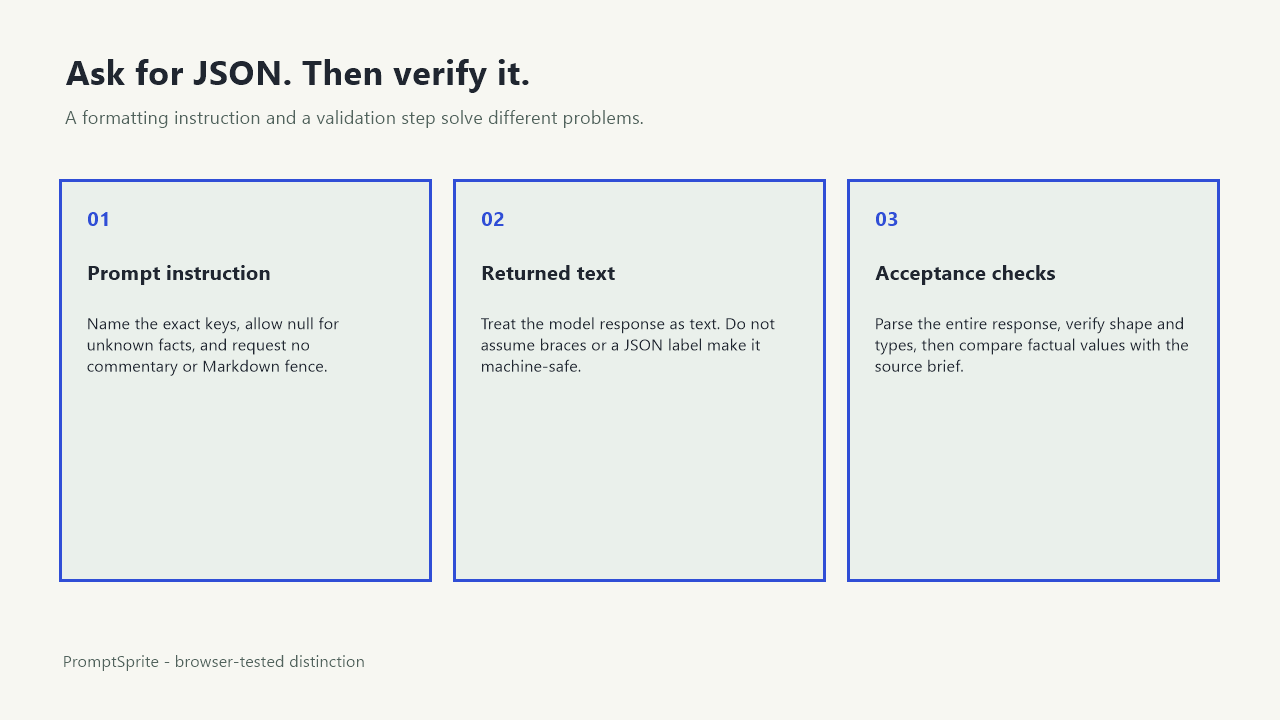
A JSON request and a JSON check are different steps
A prompt can ask for braces, quoted keys, arrays, or a specific object shape. The model that receives that prompt still produces text. The next system must decide whether the returned text is usable.
The first check is syntax. RFC 8259 defines the JSON data-interchange format. In a browser or Node.js application, JSON.parse() converts conforming text into a JavaScript value and throws a SyntaxError when the text does not conform to JSON grammar.
Passing that parser is only the beginning. A valid object such as {"title":null} may still be unusable when the application requires four keys. A syntactically valid date string may still use the wrong format. A believable supply list may still be invented. Grammar, structure, and factual support need separate checks.
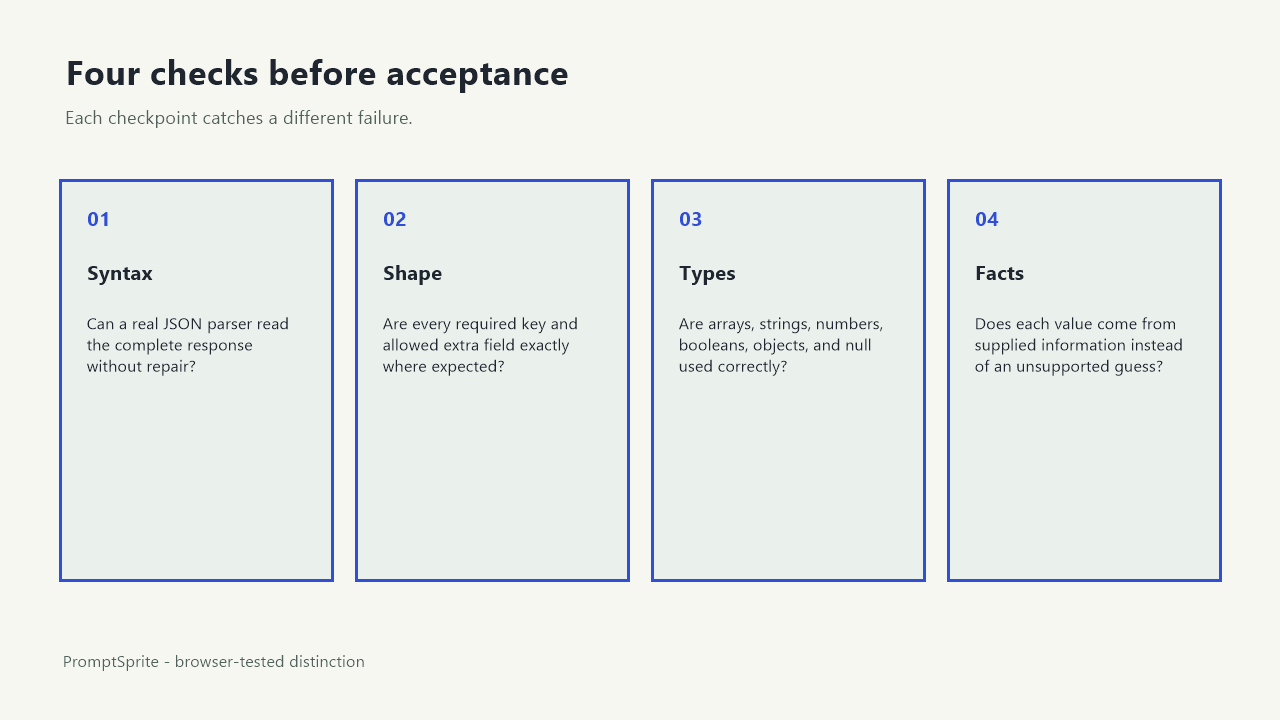
Use four checks before your application accepts the response
| Check | Question | Example failure |
|---|---|---|
| Syntax | Can a real JSON parser read the entire response? | Markdown fences or a trailing comma |
| Shape | Are all required keys present? | registration_deadline is omitted |
| Types | Does each value have the expected type? | supplies is a string instead of an array |
| Facts | Does each claim come from supplied information? | An unknown deadline is invented instead of set to null |
Run the checks in that order. There is no reason to inspect fields in text that cannot be parsed. After parsing, reject or repair the response when its structure does not match the receiving system. Finally, compare factual values with the source brief.
Three outputs that look close but fail for different reasons
Parser failure
{"title":"Weekend pottery workshop",}The trailing comma makes this unsuitable as a raw JSON payload. Parse the entire returned text; do not silently assume that text inside a code block is valid.
Shape failure
{"title":"Weekend pottery workshop","audience":"Beginners"}This is valid JSON, but it omits supplies and registration_deadline. The application must check the required keys after parsing.
Fact failure
{"title":"Weekend pottery workshop","audience":"Beginners","supplies":["apron","clay tools"],"registration_deadline":"2026-10-12"}This is valid JSON with the requested shape, yet the test brief supplied neither the list nor the date. The safer response keeps unsupported fields visible as null or asks for the missing facts.
A minimal JavaScript syntax check
function parseJsonResponse(text) {
  try {
    const value = JSON.parse(text);
    return { ok: true, value };
  } catch (error) {
    return { ok: false, error: error.message };
  }
}
This function answers one question: can the text be parsed as JSON? It does not enforce required keys, value types, date formats, or factual accuracy. Add a schema or explicit field checks for the structure your application expects. Keep the raw response for debugging, but do not send secrets or personal data into logs.
For the workshop object, a separate check should require exactly the intended fields, allow null where the brief is incomplete, and reject extra prose. If another system consumes the result automatically, fail closed and show a repair step rather than guessing what malformed text meant.
What this page proves and what it does not
We verified PromptSprite's browser behavior for one input and one format selection. We saved the exact generated prompt. We did not send it to a downstream model, measure model compliance, or test every JSON schema.
The standards references support the distinction between JSON grammar and parser acceptance. The worked failures are author-written teaching examples. They show why a format instruction, a parser, a structure check, and a fact review serve different purposes.
Inspect the exact browser-test record. Repeat the test with the model and schema you actually plan to use before connecting its response to storage, payments, publishing, or another automated action.
Questions and answers
Does adding 'return only JSON' solve the problem?
It makes the requested format clearer, but the receiving application must still parse the text and check its structure.
Is valid JSON automatically correct data?
No. Valid JSON can contain missing keys, wrong value types, unsupported claims, or values that violate your business rules.
Should I repair malformed JSON automatically?
Only when the repair rule is deterministic and reviewable. Otherwise reject the response, preserve the error, and request a corrected result.
Original PromptSprite browser test and author-written validation examples, with JSON grammar references from RFC 8259 and MDN. No downstream model compliance rate is claimed.
Watch the walkthrough
Original diagram walkthrough with synthetic English narration. The JSON examples are author-written.