PROMPT GUIDES · 2026-10-03
Why did my copied prompt lose its formatting?
PromptSprite did not remove the line breaks in our public browser test: the generated prompt and clipboard text were byte-for-byte identical, with 688 characters and 20 lines each. If a pasted prompt looks flattened, compare it in a plain-text editor first; the destination app may be reformatting plain text after the copy step.
Preserve the following structure in plain text. Keep every heading on its own line, keep one blank line between sections, and keep each bullet on a separate line. Do not merge paragraphs. Before responding, verify that the number of headings and bullet lines matches the source. If the destination format cannot preserve line breaks, return the content in a fenced code block instead.

[SOURCE TEXT]
Try it in the prompt generator →
What the public clipboard test showed
On October 3, 2026, we entered one multiline request into the public PromptSprite writing mode. The idea contained a blank line plus three bullet lines. The generated prompt contained 688 characters across 20 lines.
We clicked the visible Copy prompt button, then read the browser clipboard. The clipboard also contained 688 characters and 20 lines. A byte-for-byte comparison returned true, and a newline-normalized comparison returned true.
This proves that PromptSprite preserved the tested text from its output field to the browser clipboard. It does not prove that every editor, chat box, spreadsheet, or publishing system will display pasted plain text in the same way.
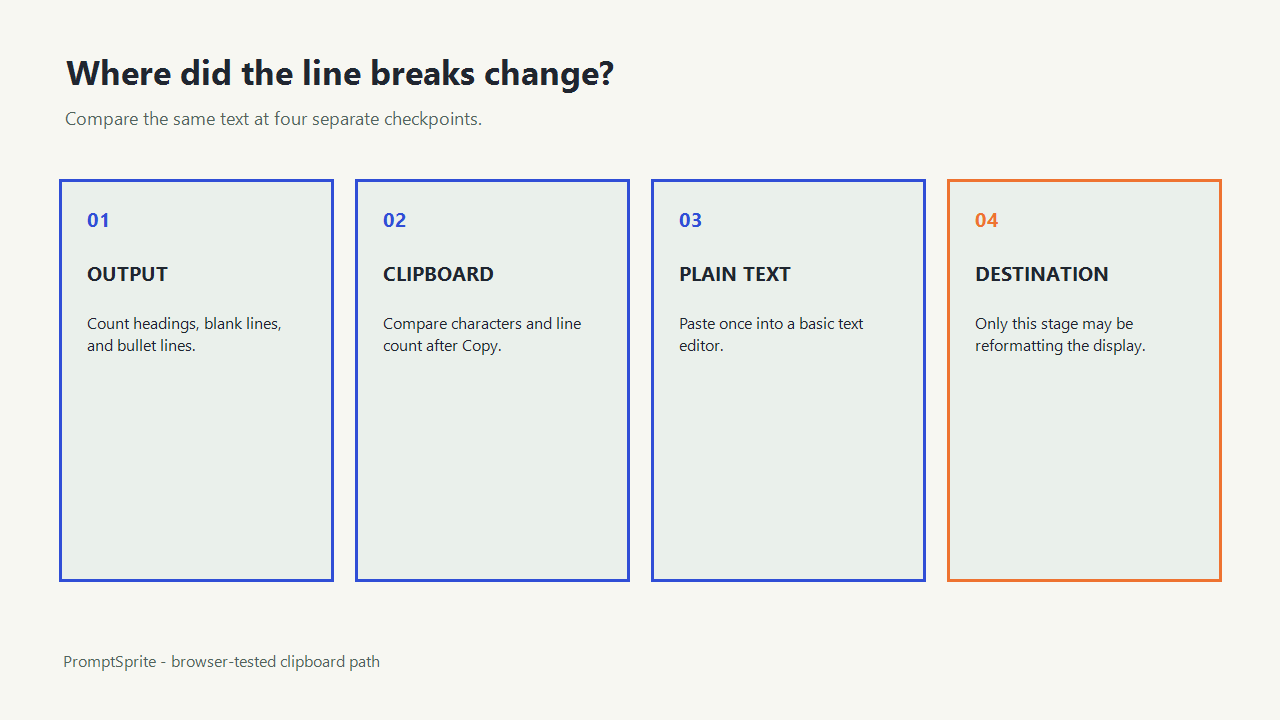
Find the stage that changed the text
| Checkpoint | What to compare | What a mismatch means |
|---|---|---|
| Generator output | Visible headings, blank lines, bullets | The source was already different |
| Clipboard | Characters and line count | The copy action changed the text |
| Plain-text paste | Paste into a basic text editor | Separates copying from rich formatting |
| Final destination | Compare the same clipboard paste | The destination transformed the display |
Treat these as separate stages. Re-copying cannot fix a destination that automatically collapses whitespace, converts bullets, or places text inside a single-line field.
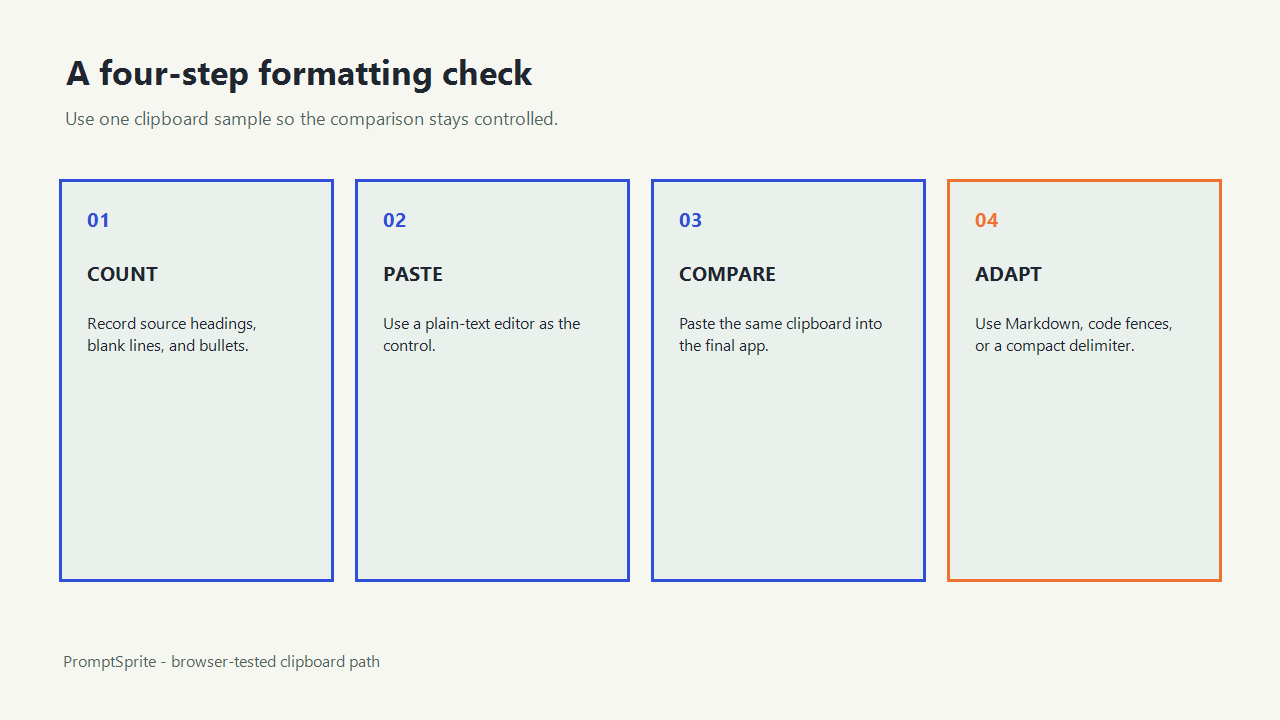
Use a four-step formatting check
- Count the source headings, blank lines, and bullet lines before copying.
- Paste once into a plain-text editor and count the same items.
- Paste the same clipboard contents into the final destination without editing them.
- If only the final destination differs, use its supported format or wrap the prompt in a fenced code block.
Do not use a spreadsheet cell, a single-line input, or a rich editor with automatic cleanup as the only test surface. Those controls may display or store whitespace differently.
Plain text preserves characters, not visual styling
The browser Clipboard writeText() method writes a specified string to the system clipboard. That string can contain newline characters, as the exact PromptSprite test demonstrated. Plain text does not carry font size, color, margins, or a guarantee that another application will render whitespace exactly as the source page did.
If bold headings or nested lists matter, ask for Markdown and paste into a destination that supports Markdown. If literal spacing matters, use a fenced code block. If the destination accepts only one line, choose a compact delimiter such as semicolons and state that choice explicitly.
What this test can and cannot establish
The test establishes one concrete path: PromptSprite public output to its Copy prompt button to the in-app browser clipboard. It used an HTTPS page, a real multiline request, and the browser clipboard interface. The output and clipboard strings matched exactly.
It does not identify the behavior of an untested destination, operating-system clipboard history, browser extension, remote-desktop clipboard bridge, or rich-text sanitizer. Test the actual destination when the formatting requirement is critical, and save both source and pasted samples before changing the prompt.
Technical references: MDN Clipboard.writeText() and the W3C Clipboard API working draft, accessed October 3, 2026.
Questions and answers
Did PromptSprite remove the line breaks in the test?
No. The generated output and clipboard both contained 688 characters and 20 lines, and the strings matched byte for byte.
Why can the same clipboard text look different after pasting?
The destination may collapse whitespace, convert bullets, apply rich-text rules, or use a single-line control. Compare the paste in a plain-text editor to isolate that stage.
Should I use Markdown to preserve prompt structure?
Use Markdown when the destination supports it. Use a fenced code block when literal line structure matters more than rendered styling.
Original PromptSprite public browser test plus MDN and W3C Clipboard API references. The exact comparison covers PromptSprite-to-browser-clipboard transfer only, not every paste destination.
Watch the walkthrough
Original clipboard-diagnostic walkthrough with synthetic English narration. The browser test used deterministic PromptSprite output; no AI model response was generated.